

Treating fleet tracking as nothing more than a live map view is one of the most expensive mistakes a fleet manager can make. You're sitting on a goldmine of operational data, and most of it goes unused when the focus stays on vehicle location alone. Successful deployments emphasize process and governance rather than treating tracking as only a map view. This guide walks you through every step required to turn your fleet tracking investment into measurable safety improvements, leaner operations, and real cost reductions, from the hardware you need on day one to the analytics reviews that keep performance climbing month after month.
Table of Contents
- What you need for fleet tracking success
- Step-by-step fleet tracking implementation
- Common mistakes and troubleshooting tips
- Verifying results and optimizing over time
- The uncomfortable truth about fleet tracking: It's about governance, not gadgets
- Ready to transform your fleet? Choose a proven tracking platform
- Frequently asked questions
Key Takeaways
| Point | Details |
|---|---|
| Governance first | The best tracking systems rely on structured processes and leadership, not just technology. |
| Update frequency matters | Frequent data updates are crucial for timely analytics and actionable insights. |
| Stepwise deployment | A clear step-by-step approach prevents setup mistakes and maximizes ROI. |
| Ongoing optimization | Regular reviews and adjustments deliver continuous safety and efficiency gains. |
| Driver engagement | Involving drivers in tracking protocols boosts adoption and real-world performance. |
What you need for fleet tracking success
Before you touch a single device or log into any dashboard, you need to get the foundations right. Skipping this stage is the single fastest way to end up with expensive hardware that nobody uses and data nobody trusts.
Core hardware requirements
Every effective fleet tracking deployment starts with the right physical components. Here's what you need:
- GPS tracking units installed on every vehicle, providing location, speed, and route data
- Telematics devices that capture engine diagnostics, fuel consumption, and harsh event data
- Dash cameras (front-facing, dual-facing, or multicamera) for video context around incidents
- Connectivity hardware including SIM cards or cellular modules for real-time data transmission
- Mounting hardware and power cables appropriate for your vehicle types
If you're managing a mixed fleet of vans, trucks, and service vehicles, your fleet operations essentials will differ slightly by vehicle class, but the core components remain consistent. The key insight here is that video and telematics data working together are far more powerful than either one alone.
Software and data policy
Hardware means nothing without a platform that turns raw data into decisions. Your fleet tracking software must include a real-time dashboard, historical reporting, alert configuration, and ideally, AI-assisted event detection. Beyond the platform itself, you need a written data policy that clearly defines what you collect, how long you store it, who can access it, and how driver data is handled to comply with privacy regulations.
Governance structure
This is the piece most fleets skip entirely. Governance means deciding in advance who manages the system, who reviews analytics, who acts on alerts, and how escalation works when a safety incident is flagged. Without a governance structure, even the best software becomes a shelf product.
Basic vs. advanced fleet tracking setup
| Feature | Basic setup | Advanced setup |
|---|---|---|
| Location tracking | GPS only | GPS plus telematics |
| Video capability | None or basic DVR | AI-connected dash cams with cloud storage |
| Update frequency | Every 1-5 minutes | Every 5-30 seconds |
| Analytics | Manual report pulls | Automated alerts and trend dashboards |
| Driver feedback | None | Coaching workflows built into the platform |
| Governance | Informal | Documented, role-assigned processes |
Pro Tip: Before purchasing any hardware, map out your governance structure first. Knowing who will own each piece of the process prevents the all-too-common situation where data is collected but nobody acts on it.
The camera systems overview on SureCam's platform gives business owners a clear picture of the camera configurations available for different fleet types, which is a useful starting point for hardware planning.
Step-by-step fleet tracking implementation
With your prerequisites confirmed, you're ready to work through the implementation process in a logical sequence. Each step builds on the previous one, and rushing ahead without completing earlier steps tends to create problems that are costly to fix later.
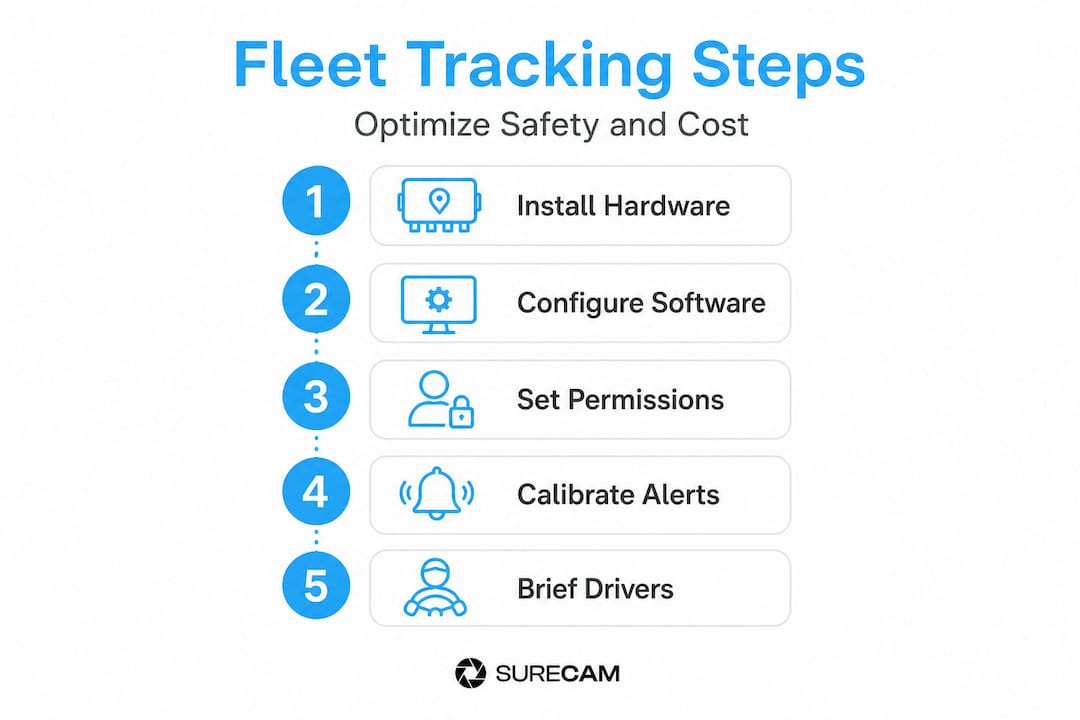
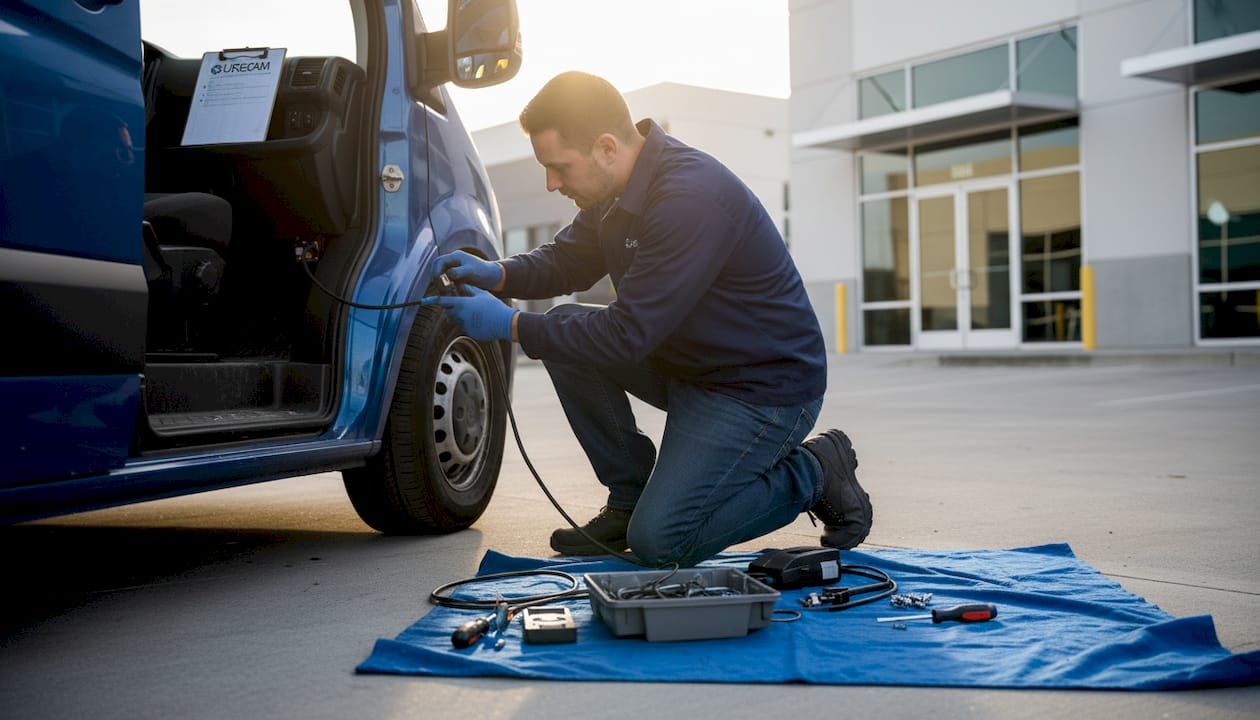
Step 1: Install hardware and verify connectivity
Start by scheduling installations in batches so your operation isn't disrupted. For each vehicle, confirm GPS unit placement for clear sky visibility, mount cameras according to the manufacturer's field-of-view specifications, and test cellular connectivity before the vehicle returns to service. Document every device ID against its assigned vehicle in your fleet register.
Step 2: Configure software for real-time updates
Log into your fleet tracking platform and set your data update intervals. This step matters more than most managers realize. Temporal resolution matters because if updates are too infrequent, analytics accuracy can degrade significantly, making it harder to reconstruct incidents or identify patterns. For urban delivery fleets or stop-and-go service routes, aim for 15 to 30-second update intervals. For long-haul routes, 60 seconds may be sufficient, but always err toward higher resolution during the initial setup.
Step 3: Set up logins, permissions, and governance
Create role-based logins: fleet managers get full access, supervisors get visibility into their assigned vehicle groups, and drivers may have limited access to their own performance data. Document who has permission to adjust alert thresholds, who receives daily reports, and who handles escalation when a critical event is flagged. This is where governance lives in the software.
Step 4: Calibrate alerts and event triggers
Configure your alerts based on your fleet's specific risk profile. Common alert categories include speeding (set your threshold slightly above the posted limit to reduce false positives), harsh braking, rapid acceleration, idling over a defined duration, and geofence violations. For maintenance, set engine-hour and mileage-based alerts tied to your service schedule. Getting this calibration right early saves hours of noise later.
Step 5: Communicate the protocol to drivers and supervisors
Driver buy-in is not optional. Hold a structured briefing that covers what data is being collected, how it will be used, what coaching looks like, and what the escalation process is. Fleets that treat this as a surveillance rollout get resistance. Fleets that frame it around safety and support get cooperation. The fleet tracking profitability data consistently shows that driver-inclusive rollouts deliver faster ROI.
Implementation summary table
| Step | Owner | Expected outcome |
|---|---|---|
| Hardware installation | Fleet manager or installer | All vehicles connected and data flowing |
| Software configuration | IT or fleet manager | Real-time updates active, intervals set |
| Permissions and governance | Fleet manager | Roles assigned, accountability documented |
| Alert calibration | Safety manager | Relevant alerts active, low false-positive rate |
| Driver communication | Operations manager | Team informed, coaching framework understood |
"The difference between a fleet tracking deployment that sticks and one that fades is almost never the technology. It's whether the people responsible for acting on the data actually have a clear process to follow."
Following structured driver monitoring tips helps managers avoid alert fatigue, which is one of the most underrated threats to long-term system adoption.
Common mistakes and troubleshooting tips
Even with a robust process, common pitfalls can undermine tracking effectiveness. Here's how to avoid them and fix issues quickly.
The most frequent implementation errors
- No governance at launch. The system goes live but nobody owns the daily review process. Data piles up unread and the investment stalls.
- Update intervals set too slow. Managers accept default settings without understanding their impact on analytics quality. A five-minute update interval on a dense urban route can miss critical events entirely.
- Driver education skipped or rushed. Drivers discover the cameras through rumor rather than a proper briefing. Trust erodes before it's built.
- Alert overload. Every possible alert is turned on at maximum sensitivity. Supervisors get flooded, start ignoring notifications, and the safety benefit disappears.
- No feedback loop. Data is collected but never fed back to drivers in coaching sessions. Behavior patterns don't change because nobody connects the data to individual performance conversations.
Troubleshooting connectivity issues
If a vehicle stops reporting data, start with the basics: check power connections, confirm the SIM card has active service, and verify the device is not in a cellular dead zone. Most fleet tracking platforms include a device health dashboard that shows last-known communication timestamps, which is your fastest diagnostic tool. If a batch of vehicles loses connectivity simultaneously, the issue is almost always network or platform-side rather than hardware.
Pro Tip: Set a weekly "device health review" as a standing calendar item in your governance process. Catching silent devices early means you never go more than a week without clean data on any vehicle.
Governance and decision-making with tracking data should be prioritized to avoid treating monitoring as merely a location tool. Fleets that make data-driven decisions consistently outperform those that rely on instinct alone.
For practical guidance on turning your system into an efficiency engine, the boosting efficiency and safety resource walks through real-world examples of how fleets restructured their alert and review processes to cut incident rates. Pairing this with a structured approach to fleet maintenance tips ensures your vehicles and your data quality stay in sync.
Verifying results and optimizing over time
Applying verification techniques ensures your step-by-step tracking delivers ongoing business value. Setting up the system is the beginning, not the finish line.
Define your KPIs before you go live
You can't verify improvement without a baseline. Before deployment, record your current incident rate, average fuel consumption per vehicle, monthly downtime hours, and idle time percentage. These become the numbers you measure against once the system is running.
A structured optimization cycle
- Review analytics weekly for the first month. Look for data gaps (silent devices), anomalous readings (GPS drift), and alert patterns that suggest calibration adjustments.
- Conduct monthly trend reviews with your safety manager and supervisors. Are incident rates declining? Are specific drivers or routes showing repeated flags?
- Adjust alert thresholds quarterly. As driver behavior improves, tighten thresholds incrementally. What was once a 10% above-limit speeding alert may need to drop to 5% as the fleet culture improves.
- Update your governance documentation when roles change. Staff turnover is one of the most common reasons fleet tracking programs lose momentum after a strong start.
- Benchmark against industry examples. Looking at industry fleet examples and peer networks can reveal optimization strategies you haven't considered internally.
Ongoing optimization strategies
- Schedule quarterly driver coaching sessions using cumulative event data, not just recent incidents
- Set up automated monthly report delivery so analytics reach decision-makers without requiring manual pulls
- Review geofence configurations seasonally, since service areas and customer locations change
- Cross-reference fuel consumption data with route analytics to identify inefficient patterns
- Integrate maintenance alerts with your service scheduling software to close the loop between telematics data and workshop bookings
Use analytics accuracy and governance as ongoing criteria for evaluating and optimizing fleet tracking results. Fleets that treat optimization as a continuous practice rather than a post-launch checklist consistently see compounding improvements in safety metrics, fuel spend, and asset utilization.
Well-governed fleets that follow a structured review process commonly report 15 to 25 percent reductions in incident-related costs within 12 months of full deployment. The critical factor in every case is the governance layer, not the hardware specification. Reviewing telematics best practices regularly helps managers stay ahead of emerging optimizations as platform capabilities evolve.
The uncomfortable truth about fleet tracking: It's about governance, not gadgets
Here's the hard-won lesson that most fleet technology vendors won't tell you: the system doesn't matter nearly as much as what you do with it. We've seen fleets with mid-range hardware and disciplined governance processes consistently outperform operations running premium systems with no accountability structure. The data is only as valuable as the decisions it drives.
Most fleet managers approach tracking as a technology problem. They compare device specs, update frequencies, and camera resolutions. All of that matters, but successful fleet tracking is led by process and governance, not just the tools used. The fleets that get the best results assign named individuals to every piece of the data review process, hold structured analytics meetings, and treat coaching conversations as a standard operating procedure rather than an event that only happens after a serious incident.
The uncomfortable truth is that if your tracking deployment isn't producing measurable improvements within 90 days, the answer is almost never to upgrade the hardware. It's to fix the governance. Ask who is looking at the data, how often, and what decisions they're making. If the answer is vague, you've found your problem.
Strong leadership makes fleet tracking work. Technology makes it possible. Don't confuse the two. The operation management insights available to fleet managers today are genuinely powerful, but only when paired with clear accountability and a culture that uses data to lead, not just monitor.
Ready to transform your fleet? Choose a proven tracking platform
If you're ready to evolve your fleet tracking beyond basics, explore tailored solutions designed for your business needs.
SureCam combines GPS-connected dash cams, AI-driven event detection, and real-time video telematics into a single platform built specifically for commercial fleets. Whether you're managing five vehicles or five hundred, the tools are designed to match the step-by-step approach outlined in this guide.
Explore camera systems for business to see how front-facing, dual-facing, and multicamera configurations can be matched to your fleet type and risk profile. From driver coaching workflows to live streaming and cloud storage, SureCam's platform gives you the analytics infrastructure to make governance-first tracking a reality, not just a goal. Request a demo and start with a clear baseline today.
Frequently asked questions
What hardware is essential for fleet tracking?
GPS devices and telematics units are the core requirements, with dash cameras adding safety context and analytics depth that location data alone cannot provide.
How often should fleet tracking updates occur?
Updates should occur as frequently as your route type demands, because infrequent updates degrade analytics accuracy and can cause critical events to go undetected.
What is the biggest mistake in fleet tracking deployments?
The most common failure is launching without clear governance, since prioritizing decision-making processes around tracking data is what separates successful deployments from expensive shelf products.
How do I use fleet tracking data to improve driver safety?
Set up event-based alerts for unsafe behaviors, then use cumulative analytics in structured coaching sessions, because tracking data used for performance improvement produces faster, more lasting behavior change than reactive discipline.
How long does it take to implement a fleet tracking solution?
Basic hardware can be deployed within a week, but realizing the full safety and cost benefits requires 60 to 90 days of calibration, governance refinement, and driver coaching cycles.